bernard · courses
Teach what you know, and let the course look after your students
Lessons with video, captions and a transcript you can search. Quizzes that mark themselves. A certificate that prints the moment a student finishes, with a link anyone can use to check it. Emails that follow each student, and a home page where they find everything. You ask Bernard in your own words, and he sets it up as a draft for you to approve.
No student has taken a course here. This is a demonstration. The five courses are real courses on bernard, but nobody has enrolled, so no quiz has been taken and no certificate has been issued. Checkout is a Stripe test.
Structure · parts, lessons and notes
A course is parts, lessons and notes, in the order you teach them
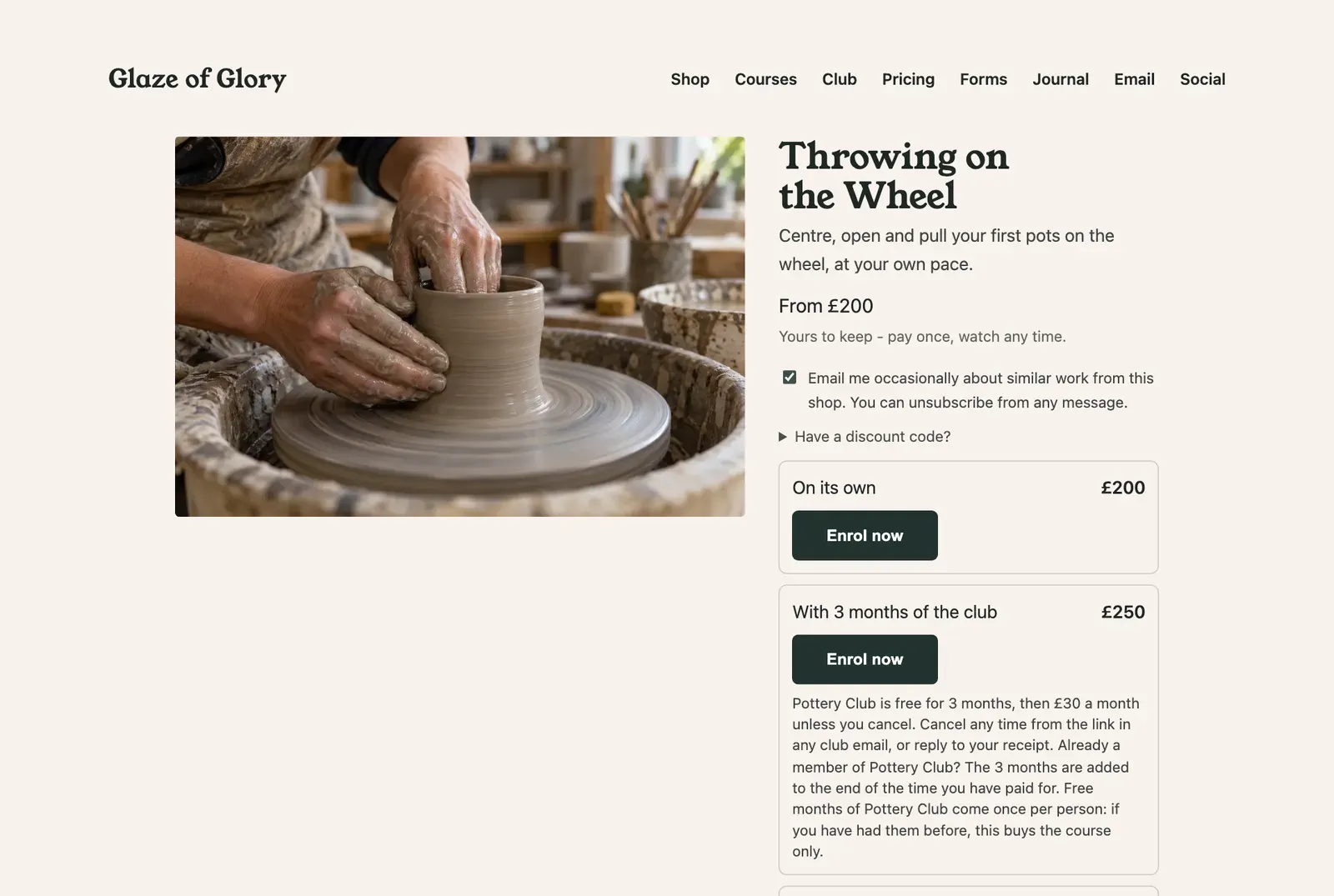
Tracy's main course, Throwing on the Wheel, has nine lessons in parts: wedging, centring, opening and pulling walls, shaping a cylinder, trimming, common faults, and two knowledge checks. Each lesson can carry a video, written notes and a worksheet to download.
- On this site
- 5 courses: Throwing on the Wheel, Glaze Explorers, Kiln Notes, the Raku Weekend Workshop and Clay Taster (free).
- Free preview
- One lesson per course can be watched without enrolling, so a visitor can try before they buy.
- Other kinds
- The same engine also makes a document library, a client hub or a handbook, each with its own wording and address.
Make a new course called Glazing at Home with three parts, and copy the welcome lesson from Throwing on the Wheel.
- Lessons can sit inside parts, and parts can be reordered at any time.
- Duplicating a course copies its lessons, notes, videos, files and quizzes into a draft with no price, so nothing goes on sale by accident.
- Your written notes can have headings, tables and sections that fold away.
Video · captions, chapters and search
Upload a video, and the captions and transcript make themselves
Tracy drops a film of herself at the wheel onto the course. Captions, a cover picture and a transcript appear by themselves. Her students can turn captions on, follow the transcript as she talks, and search for the moment she explains how to open the clay.
- Chapters - suggested for you, or set by hand, so a student can jump to the part they need.
- Remove the umms - Bernard takes out long pauses and filler words. The original is kept.
- Trim - choose where the video starts and ends without cutting the file.
- Subtitles in other languages - with a language menu in the player.
- One long video into lessons - a whole workshop film becomes separate lessons, one per chapter, with no new upload.
- Clips and a trailer - a short clip with captions for social media, and a trailer for the course page.
Take the umms out of the centring video, add chapters, and make me a 30-second clip of the bit where the clay goes true.
- Video can come from your phone or laptop, from an Instagram reel, or from a direct link. A YouTube video is shown from YouTube.
- Subtitles in another language are machine translated. Nobody checks them, so ask a speaker to look if it matters.
- Students can search inside a lesson, and you can search across every lesson you have made.
Quizzes · marked the moment they are sent
A knowledge check that marks itself and tells the student why
Throwing on the Wheel has two knowledge checks: one after centring and one at the end. A student answers, presses Submit and sees their score at once, with a short note on every question they got wrong. They can try again as often as they like, and their best score counts.
- On this site
- 2 quizzes of 5 questions each. Both must be passed to finish the course.
- Pass mark
- 80%. You choose the mark for each quiz.
- Attempts
- As many as they like, and the best one counts. You can set a limit.
- Feedback
- Shown after every attempt. You can show it only after a pass, or never.
Write a five-question knowledge check for the centring lesson from what I say in the video. Set the pass mark at 80%.
- Bernard writes the questions from your lesson's transcript and notes. You check every answer before the quiz goes up.
- The right answers are never in the page. The marking happens on bernard's side, so nobody can look them up.
- Questions can have one right answer, or several to tick. A question can also have no right answer, to ask an opinion.
- You can see each student's attempts: their score, and whether they passed.
Certificates · printed when they finish
A certificate the moment they finish, and a link anyone can use to check it
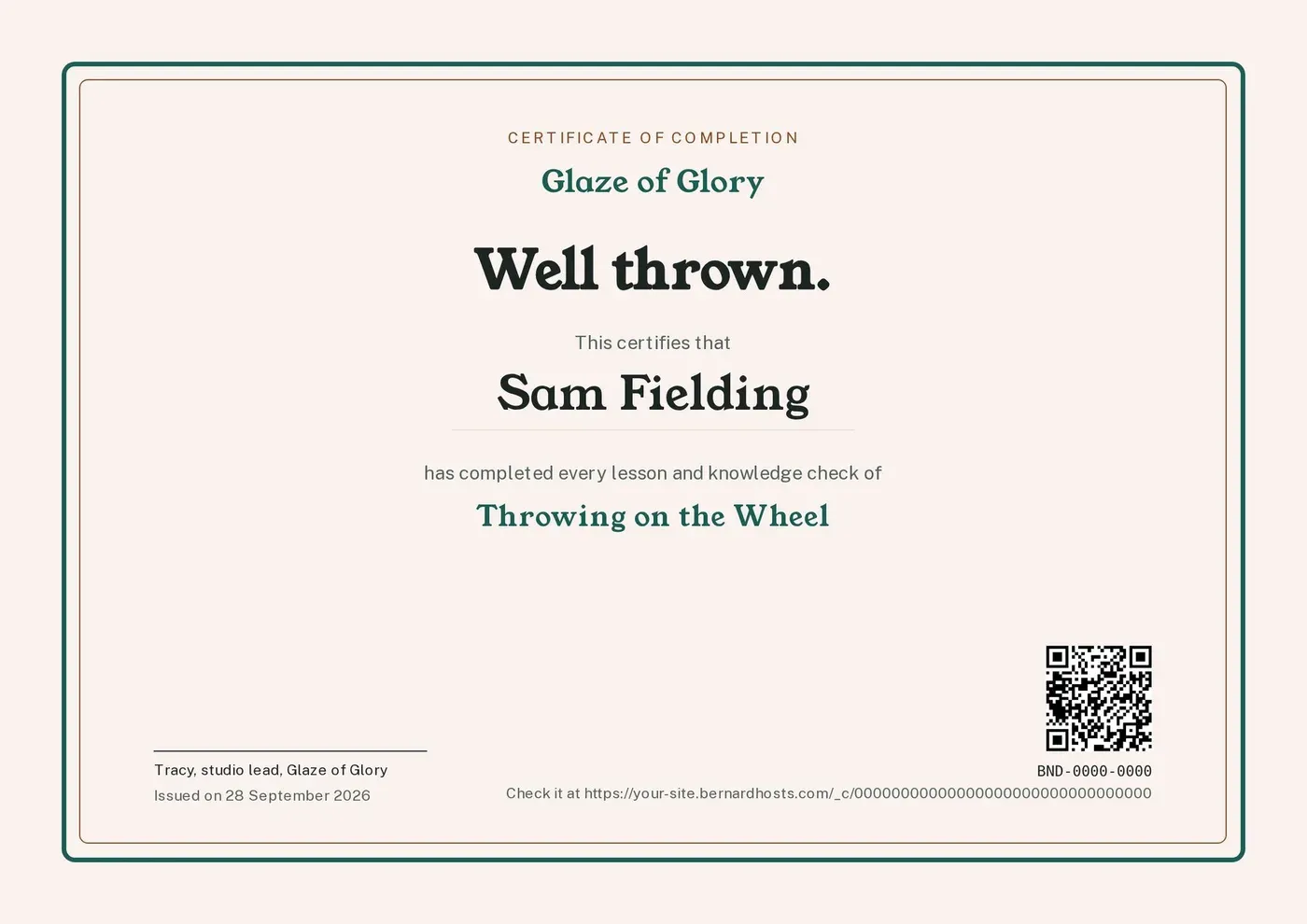
When a student finishes the last lesson and passes both knowledge checks, their certificate prints straight away. It arrives by email as a PDF, it waits in their course home, and its link and QR code let an employer or a guild check it is real.
- Design
- Glaze of Glory - studio: the site's own colours and type, with Tracy's sign-off.
- Number
- Every certificate has its own number, starting GOG on this site.
- Finishing means
- Every lesson done and every required quiz passed. You can choose "required quizzes only" instead.
- Issued here so far
- None. Nobody has enrolled.
Give everyone who finishes Throwing on the Wheel a certificate with my signature, and let me approve each one before it goes.
- Each course chooses: print automatically, wait for you to approve each one, or no certificate.
- The check page shows the name, the course, the date and whether it is still valid. It cannot be searched or found on Google.
- A certificate is never changed or deleted. To fix one, you replace it with a new number, or withdraw it with a reason. The check page then says so.
- A design can have two pages, for example a certificate and a transcript of results. Each prints as its own PDF with the same number.
- You can also give a certificate for something that is not a course, such as a workshop day, to one person or a whole list.
Students · no passwords
Students sign in with a link, and pick up where they left off
There is no password to forget. A student types their email, gets a personal link and stays signed in for months. My courses lists everything they have, and their certificates.
- Lessons tick themselves. A lesson is done when the video plays to the end, the notes are read to the end, or the quiz is passed.
- They carry on where they stopped. The video starts from the last place they watched, and the next lesson is offered when they finish.
- Deadlines that do not lock anyone out. Give a course a finish-by date, or one date per student, and move it when life gets in the way.
- Worksheets download through a private link that runs out, so they are not passed around.
Give students on Throwing on the Wheel eight weeks to finish, and give Sam two more weeks.
- There is no profile to fill in and no dashboard to learn. The student sees their courses, and that is all.
Selling · your Stripe, no cut
Sell a course any way you like, and keep every pound
A course can be paid once and kept, paid for a fixed time, free, or by invitation. It can come with months of the club, have a member price, sit in a bundle, or have a limited number of places. The Pricing page shows every one of these on this site.
- Payments
- Go to your own Stripe account. bernard takes no cut of a sale.
- By hand
- You can enrol a student yourself, or give a whole list of students their courses in one go.
- Codes
- Discount codes work on course pages, with an end date and a limit per person.
Enrol Sam on Glaze Explorers for free, and send them the email with their link.
- Bernard shows you every price and email before anything changes. Nothing goes on sale until you publish.
Emails · they follow each student
The right email at the right point in the course
A new student gets a welcome with their sign-in link. After that, emails can go when they finish a lesson or a part, pass a quiz, finish the course or get their certificate, and before a deadline. A student who goes quiet gets a friendly nudge.
When a student passes the first knowledge check, send them a well done and a tip about pulling walls.
- Course emails come from the site's own address once email is set up.
- The Email page shows the journey that follows students on Throwing on the Wheel.
Community · one room per course
A private room where students of a course talk to each other
Each course can have its own room in the site's forum, open only to its students. Members of the Pottery Club can have a room of their own as well. Questions get answered once, where everybody can see them.
- Who can enter a room follows a tag on each contact. Bernard adds the tag when you ask him to.
- The bernard team switches the forum on for a site. Ask Bernard and he passes on the request.
- There is no forum on this demonstration site.
Honest limits
What bernard cannot do yet
- A quiz question that needs a written answer or a file upload.
- A space for students to write their own notes on a lesson.
- A forum room that fills itself from a course's enrolments. Today a room follows a tag.
- Changing the wording of the standard course notice emails yourself.
- Bringing across certificates issued on another platform.